Geometric Holes Rectangular Box Template: Integrating Precision Packaging into Creative Workflows
In the realm of small business packaging, event planning, and DIY crafting, the transition from digital design to physical product requires reliable assets. The Geometric Holes Rectangular Box Template serves as a foundational element in this production pipeline. Rather than viewing this merely as a decorative file, professionals and hobbyists should approach it as a standardized manufacturing component that streamlines the creation of custom favor boxes. This template bridges the gap between conceptual design and tangible output, offering a structured solution for presenting chocolates, cookies, and small gifts with professional consistency.
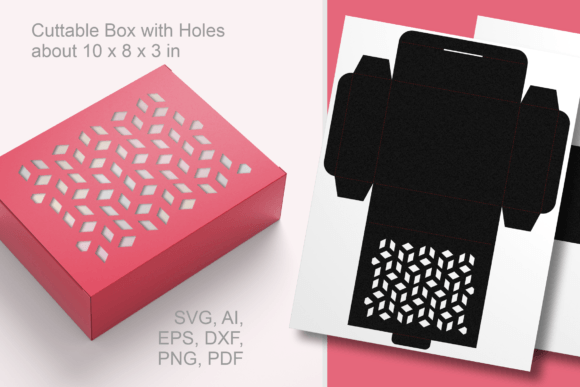
For creators managing multiple projects or events, efficiency is paramount. This cuttable rectangular favor box with geometric decorative holes eliminates the need to draft structural packaging lines from scratch. By utilizing pre-engineered vector files, you ensure that fold lines, cut paths, and decorative elements align perfectly every time. This reliability is essential when scaling production for weddings, corporate events, or holiday retail, where uniformity directly impacts perceived quality and brand reputation.
Technical Specifications and File Compatibility
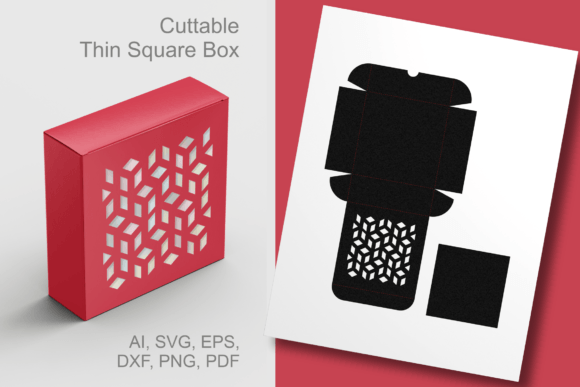
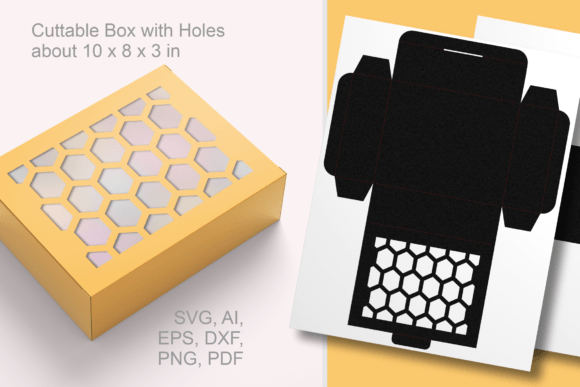
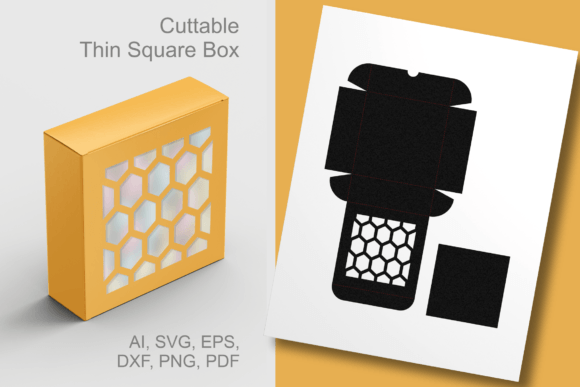
Successful integration of any digital asset depends on understanding its technical parameters and compatibility with existing hardware. This paper-cut template is designed for versatility across various cutting platforms and design software. When you download this resource, you receive a comprehensive suite of universal vector files including SVG, EPS, AI, and DXF formats. These vectors are mathematically precise, allowing for infinite resizing without loss of fidelity. Additionally, the package includes a vector-based PDF for manual printing and cutting, alongside transparent PNG and JPEG files for digital mockups or sublimation transfers.
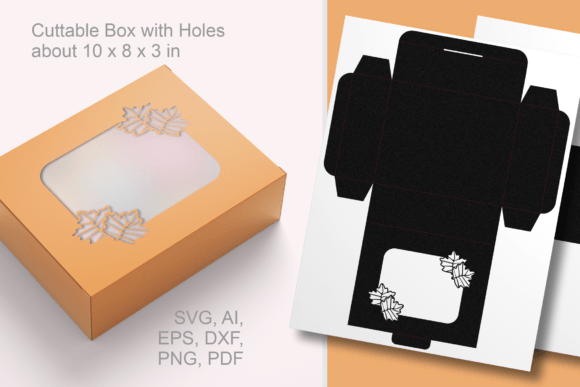
The default dimensions of the assembled box are approximately 10 x 8 x 3 inches (25 x 20 x 7.5 cm). This size is optimized for standard cardstock weights and accommodates substantial favors like cookie assortments or bulk candy. However, the true utility lies in the resizable nature of the vector format. Whether you are using Cricut Design Space, Silhouette Studio, Adobe Illustrator, or CorelDRAW, you can adjust the bounding box to fit specific product dimensions. Before initiating a full production run, it is critical to verify that your cutting mat size accommodates the scaled template and that your blade depth is calibrated for the chosen material thickness.
Strategic Planning and Pre-Production Workflow
Integrating the Geometric Holes Rectangular Box Template into your workflow begins long before the cutting machine is activated. Effective planning involves assessing the end-use scenario to determine necessary modifications. For instance, if the box is intended for wedding favors, you might prioritize intricate geometric patterns that complement lace or linen textures. Conversely, for children’s birthday parties, simplifying the cut paths may be necessary to accommodate thicker, more durable cardstocks that withstand handling.
Material selection is another crucial pre-production step. The geometric holes serve a dual purpose: aesthetic appeal and structural ventilation. When selecting paper stock, consider the weight and grain direction. A 65lb to 80lb cardstock typically offers the ideal balance of rigidity and foldability for this specific template. Heavier stocks may require scoring tools to prevent cracking along fold lines, while lighter papers might not support the structural integrity of a 3-inch deep box filled with confections. Testing a single prototype allows you to validate material performance and make adjustments to pressure settings or score depths before committing to batch processing.
Execution: Cutting, Assembly, and Quality Control
During the fabrication phase, organization and precision dictate the outcome. When loading the Geometric Holes Rectangular Box Template into your cutting software, separate the cut lines from the score lines. Most cutting machines handle these operations differently; assigning distinct colors or layers ensures the machine performs scoring passes before cutting passes. This sequence prevents the material from shifting after being detached from the backing, which is a common cause of misalignment in complex box templates.
Assembly requires a systematic approach to maintain consistency across multiple units. Use a bone folder or scoring stylus to create crisp, defined edges before applying adhesive. The geometric decorative holes act as visual guides during assembly; aligning these patterns ensures the box maintains its rectangular symmetry. For high-volume production, establish an assembly line workflow: fold all boxes first, then apply glue tabs uniformly, and finally set them aside to cure under light pressure. This method reduces fatigue and minimizes variation compared to completing one box entirely before starting the next.
Quality control should be embedded throughout the execution phase. Inspect the first few units for clean cuts, particularly around the intricate geometric perforations. Frayed edges often indicate a dull blade or improper mat adhesion. Addressing these issues immediately prevents waste. Furthermore, test the box with actual contents to ensure the dimensions remain functional after assembly. Sometimes, the thickness of glue or the tension of folds can slightly reduce internal capacity, so verifying fit early in the process avoids costly rework later.
Application Across Diverse Use Cases
The versatility of this rectangular box SVG template extends beyond simple gift wrapping. Its adaptable structure makes it suitable for various commercial and personal applications throughout the year. For small business owners, this template functions as premium retail packaging. The geometric cutouts provide a window to display products without requiring separate acetate inserts, reducing both cost and plastic usage. This is particularly effective for bakeries selling artisanal cookies or chocolatiers showcasing truffles, where visual access drives purchasing decisions.
In the context of event planning, the box serves as a cohesive branding element. Wedding planners can customize the exterior with monograms or thematic colors while maintaining a uniform shape that stacks neatly on favor tables. For educators and community organizers, the sturdy construction makes it ideal for distributing craft supplies or educational treats. Because the template is fully editable, users can add text, logos, or additional decorative elements directly within their vector software before cutting, creating a truly bespoke packaging solution without outsourcing to commercial printers.
Seasonal adaptability is another key advantage. While excellent for Christmas and wedding seasons, the geometric design is neutral enough for everyday use. It transitions seamlessly from festive holiday packaging to elegant spring bridal showers or autumn harvest gatherings simply by changing the paper color or texture. This all-purpose functionality maximizes the return on investment for the template, as it remains relevant regardless of the calendar date.
Post-Production and Long-Term Asset Management
After completing a project, proper asset management ensures future efficiency. Save modified versions of the Geometric Holes Rectangular Box Template with descriptive filenames indicating dimensions, material type, and intended use. Creating a library of pre-adjusted sizes saves significant setup time for recurring orders or annual events. Documenting successful material and machine settings in a production log also aids in replicating results or troubleshooting future issues.
Consider how finished boxes interact with storage and shipping logistics. Flat-packed boxes save space but require assembly time at the point of use. Pre-assembled boxes offer convenience but demand careful stacking to prevent crushing. Understanding these trade-offs helps in planning inventory levels and fulfillment strategies. For businesses, integrating this template into standard operating procedures ensures that packaging quality remains consistent even as staff changes or production volumes fluctuate.
Ultimately, the value of this template lies in its ability to professionalize homemade packaging. Designed by Print Cut Hang, it reflects an understanding of practical fabrication needs rather than purely artistic intent. By treating this digital asset as a core component of your creative or business infrastructure, you transform simple paper crafting into a scalable, repeatable process. Whether producing fifty wedding favors or five hundred retail packages, the Geometric Holes Rectangular Box Template provides the structural reliability and aesthetic flexibility needed to present small gifts in the best possible way.
Optimizing for Different Cutting Machines
Different cutting ecosystems interpret vector data uniquely. Users of Cricut machines should utilize the SVG format and ensure "cut" and "score" lines are properly attached in Design Space. Silhouette users may find the DXF or studio-specific formats more reliable for registration mark alignment. Adobe Illustrator users preparing files for laser cutters should convert all text to outlines and verify kerf compensation if necessary. Understanding these platform-specific nuances prevents compatibility headaches and ensures the geometric holes render with crisp precision regardless of the equipment used.
Efficiency also comes from batching similar tasks. If producing multiple box variations, group cuts by material type to minimize mat changes. Run all score lines in a single pass, then swap to the cutting blade for perimeter cuts. This optimization reduces machine wear and total production time. Remember that the transparent PNG and JPEG files included in the download are valuable for client approvals or social media previews before physical production begins, adding another layer of workflow efficiency to the overall process.