Heart N Crown Rectangular Gift Box: Crafting Professional DIY Packaging Without Common Pitfalls
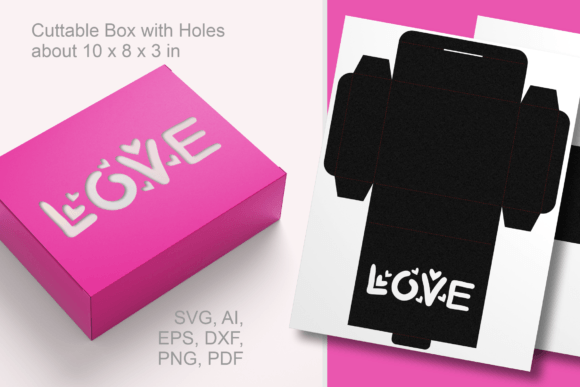
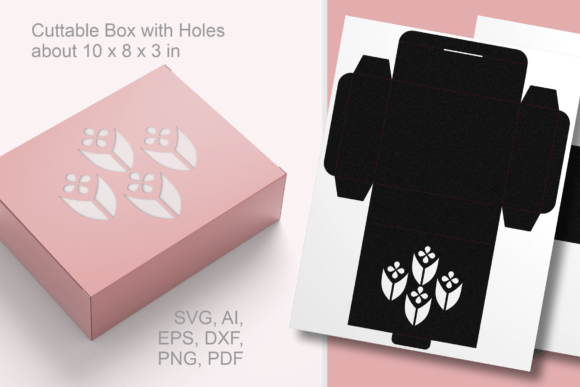
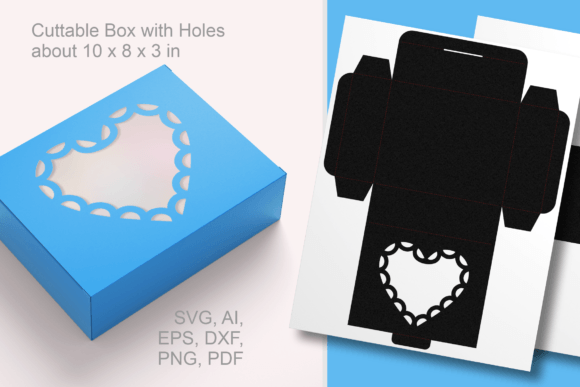
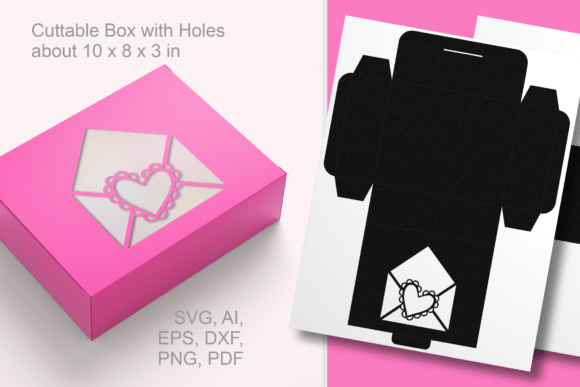
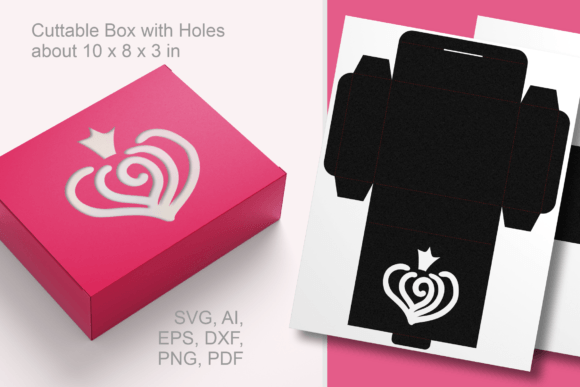
Creating custom packaging often separates a thoughtful homemade gift from a polished, professional presentation. The Heart N Crown Rectangular Gift Box serves as an excellent solution for crafters and small business owners who want to elevate their gifting game without investing in expensive pre-made containers. This specific design combines romantic aesthetics with functional utility, featuring intricate heart and crown decorative holes that act as a window to display contents like chocolates, cookies, or party favors. However, owning the template is only the first step. Many creators encounter frustration during the assembly phase not because the design is flawed, but because they overlook critical technical details regarding material selection, machine settings, and structural integrity.
Understanding the nuances of this cuttable rectangular favor box ensures your final product looks intentional rather than improvised. Whether you are preparing for Valentine’s Day, a wedding, or everyday retail packaging, avoiding common execution errors will save you time, materials, and disappointment.
Material Selection: Why Cardstock Weight Dictates Success
The most frequent mistake makers face with the Heart N Crown Rectangular Gift Box is choosing paper based solely on color or pattern while ignoring weight. Because this template includes both structural fold lines and delicate decorative cutouts, the paper must possess enough rigidity to hold a 3D shape while remaining thin enough for precise cutting.
Using standard printer paper or lightweight scrapbook paper (under 65lb/170gsm) often results in a flimsy box that sags under the weight of even light candies. Conversely, using heavy chipboard or cardstock over 110lb/300gsm can cause tearing around the intricate crown and heart motifs, or result in cracking along the score lines. For this specific 10 x 8 x 3 inch (25 x 20 x 7.5 cm) dimension, 80lb to 100lb cover stock (215–270 gsm) is typically the ideal range. Always test a single sheet before committing to a bulk run. If your box feels unstable, the issue is likely material density, not the SVG file itself.
Optimizing Cut Settings for Intricate Window Details
The decorative holes are the focal point of this gift box, but they are also the most vulnerable area during production. A common misunderstanding is assuming that the default "Cardstock" setting on Cricut or Silhouette machines is sufficient for detailed vector cuts. Default settings often prioritize speed over precision, leading to uncut fibers inside the hearts or jagged edges on the crowns.
To achieve clean window cutouts:
- Reduce cutting speed: Slowing down the blade allows for sharper turns around tight curves.
- Use a sharp blade: Even a slightly dull blade will drag through paper rather than slicing it, ruining the delicate interior details.
- Enable multiple passes: Two passes at lower pressure are superior to one pass at high pressure. This prevents the mat from shifting and reduces edge fraying.
- Weeding carefully: Remove negative space while the paper is still on the mat to prevent stretching the remaining structure.
Neglecting these adjustments leads to boxes that require manual trimming with an X-Acto knife, negating the efficiency of using a digital template.
Resizing Templates Without Compromising Structural Integrity
One of the greatest advantages of downloading universal vector files (SVG, EPS, AI, DXF) is the ability to resize the box for different needs. However, resizing is not always as simple as dragging a corner handle in your design software. A critical error occurs when users scale the box non-uniformly or fail to account for tab proportions.
If you reduce the Heart N Crown Rectangular Gift Box by 50% to create mini favors, the glue tabs may become too small to adhere properly, or the interlocking slots may become too narrow for the cardstock thickness. Conversely, enlarging the box significantly can make the original tab size inadequate for supporting the larger surface area. Always perform a test cut after resizing. Verify that tabs remain proportional to the new dimensions and that the decorative windows do not encroach upon fold lines. Most design software allows you to lock aspect ratios; use this feature to maintain the intended geometry of the box.
Assembly Techniques for a Polished Finish
Even with perfect cuts, poor assembly can undermine the professional look of your Valentine’s Day treat boxes. Rushing the gluing process or using the wrong adhesive are frequent issues. Liquid glue, while accessible, introduces moisture that warps paper and creates visible wrinkles, especially around the decorative window areas where structural support is already reduced.
For the best results with this rectangular favor box:
- Pre-crease all fold lines: Use a bone folder or scoring tool before applying any adhesive. Sharp, defined creases ensure the box sits square and flat.
- Choose appropriate adhesives: Double-sided tape runners or glue dots offer instant hold without moisture damage. If using liquid glue, apply sparingly and only to designated tab areas.
- Align tabs internally: Ensure glue tabs sit flush against the interior walls. Exposed tabs detract from the premium feel of the packaging.
- Allow proper curing time: If stacking boxes for storage, ensure adhesive is fully set to prevent transfer marks or deformation.
Taking an extra five minutes per box during assembly dramatically improves the perceived value of the finished product, whether it holds wedding favors or birthday treats.
File Format Compatibility and Preparation
Before purchasing or downloading, verify which file format your workflow requires. While the Heart N Crown Rectangular Gift Box template typically includes SVG, EPS, AI, DXF, PDF, PNG, and JPEG options, not all formats serve the same purpose. Beginners often download a PNG or JPEG expecting to cut it directly, only to discover these are raster images unsuitable for vector cutting machines without tracing.
SVG and DXF files are essential for cutting machines like Cricut Design Space and Silhouette Studio. EPS and AI files are better suited for Adobe Illustrator users who wish to modify the design extensively before cutting. PDF vectors work well for hand-cutting or professional print shops. Confirm your software compatibility beforehand to avoid post-purchase frustration. Additionally, check whether the file includes separate layers for cut lines and score lines; having these on distinct layers simplifies machine setup and prevents accidental cutting where you intended to fold.
Versatility Beyond Seasonal Gifting
While marketed prominently for Valentine’s Day, limiting this template to February 14th underutilizes its potential. The heart and crown motif, while romantic, translates beautifully to princess-themed birthday parties, bridal showers, anniversaries, and even luxury retail branding for feminine products. By swapping out paper colors and patterns, the same structural template serves year-round purposes.
Consider using pastel tones for spring events, metallic golds for weddings, or branded solid colors for small business product packaging. The window feature remains functional regardless of occasion, allowing recipients to preview contents immediately. This adaptability makes the initial investment in the template far more cost-effective than purchasing single-use seasonal packaging.
Ultimately, success with the Heart N Crown Rectangular Gift Box comes down to respecting the relationship between design, material, and technique. By selecting appropriate cardstock, optimizing machine settings for detail work, resizing thoughtfully, and assembling with care, you transform a digital file into tangible, professional-quality packaging. These practical considerations ensure your creative efforts yield beautiful, functional results that delight recipients and reflect positively on your craftsmanship.